Branching call flows
Skip a question or end the call early based on how someone actually answers — no dead ends, no wasted minutes.
Launch outbound calling campaigns, let an AI agent hold every conversation, and get each call transcribed, scored and reported on in real time.
No-code campaign builder · 30 voices · English, Hindi & Hinglish
Built for every kind of outbound call
30
Prebuilt AI voices
3
Call languages — English, Hindi, Hinglish
5
Campaign types, from HR to collections
0
Lines of code to launch a campaign
See it in action
A one-minute walkthrough of the product, and an example of the kind of call the agent holds — with the evaluation it produces.
AI agentHi Priya, this is the hiring team calling about the Backend Engineer role. Is now a good time for two minutes?
PriyaYes, go ahead.
AI agentThanks! What is your current notice period?
PriyaThirty days — but it is negotiable.
AI agentGot it. And what compensation are you expecting for this role?
PriyaAround twenty-four lakhs.
Outcome
Completed
Sentiment
Positive
Score
86 / 100
The product
Three screens your team lives in. This is the running application, not a mock-up.
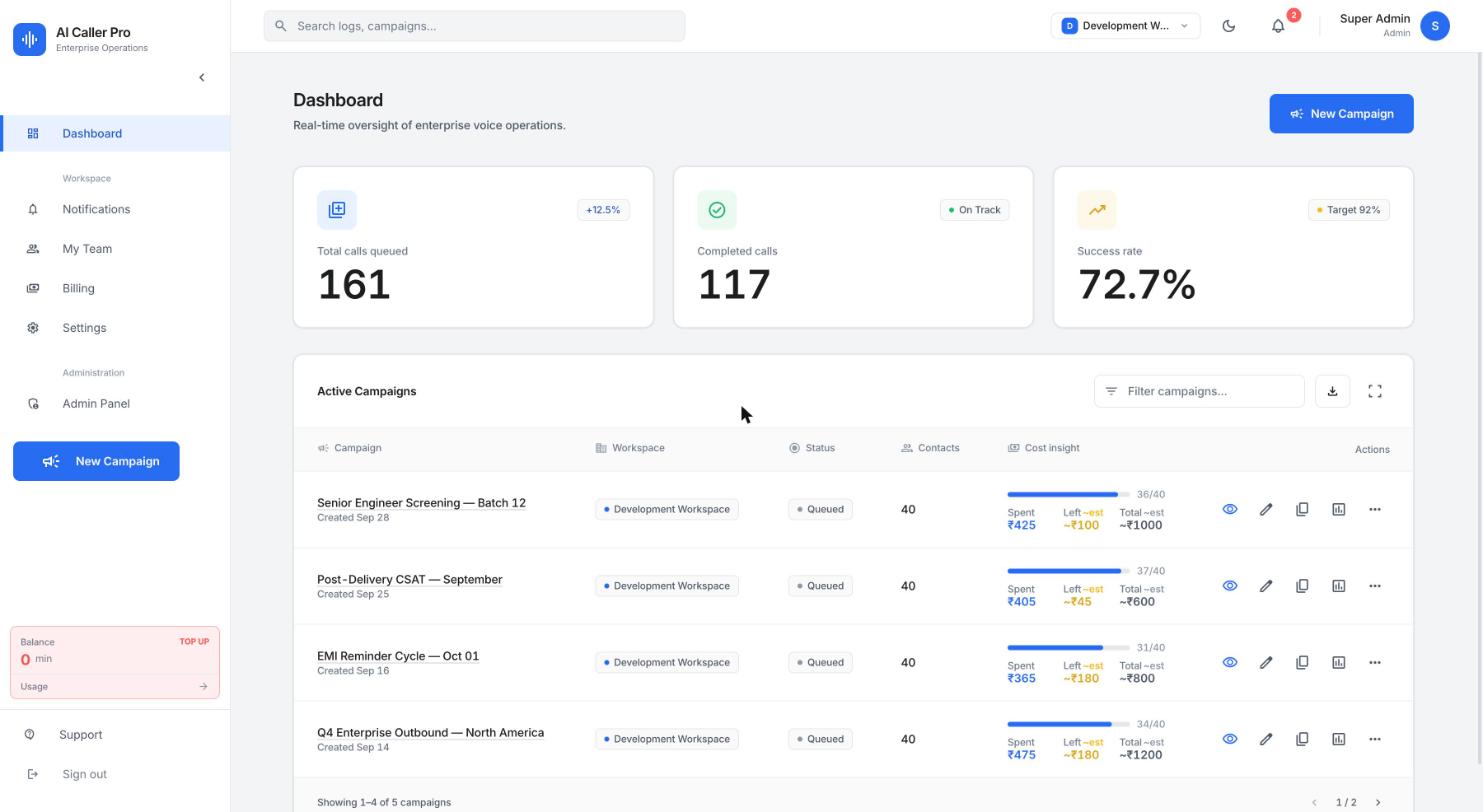
01 · Build
Choose the campaign type, set a per-call budget, pick from 30 voices, then add questions with branching rules. No prompt engineering, no code.
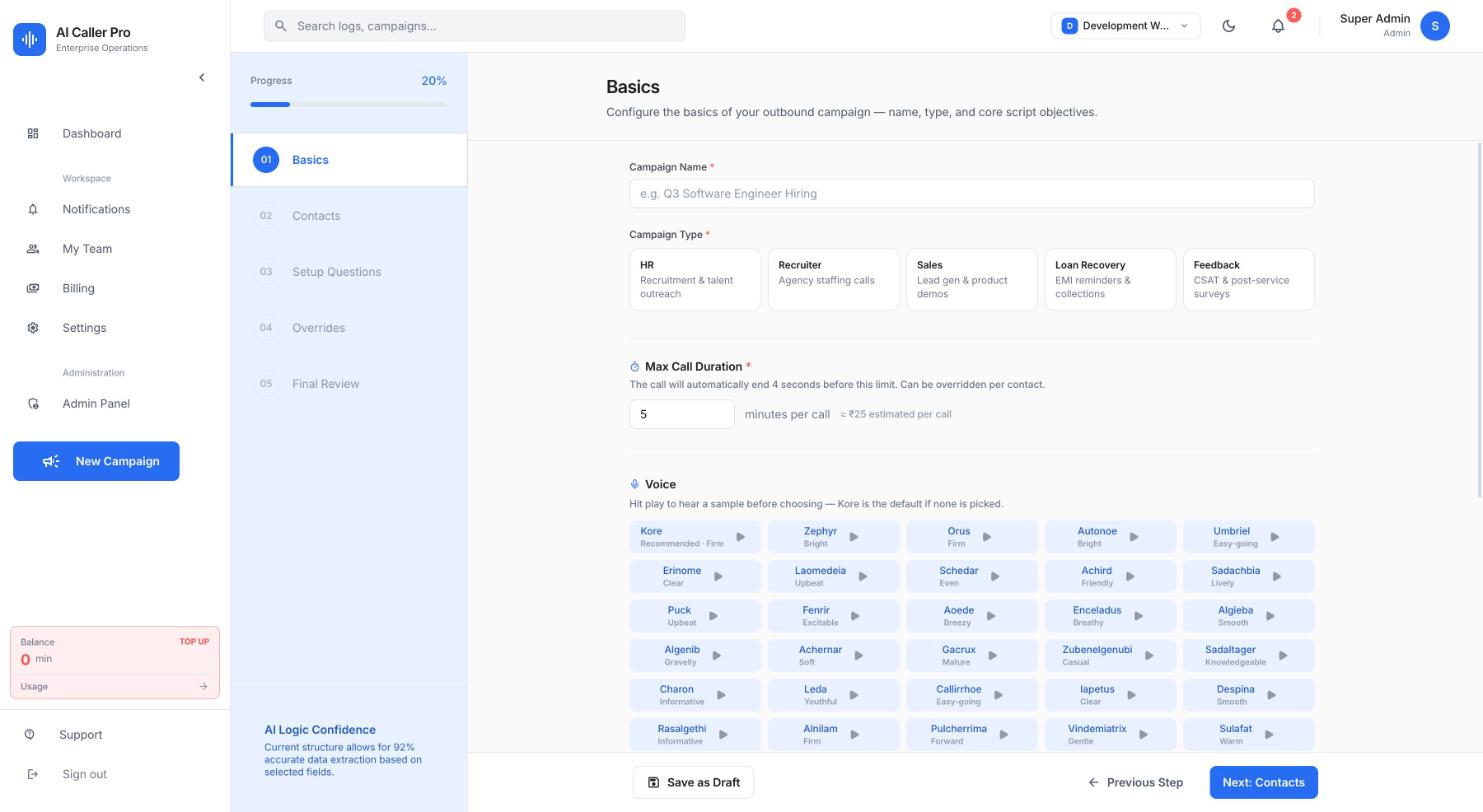
02 · Run
Calls queued, completed and success rate update as the campaign runs — with per-campaign progress and spend tracked against your estimate.
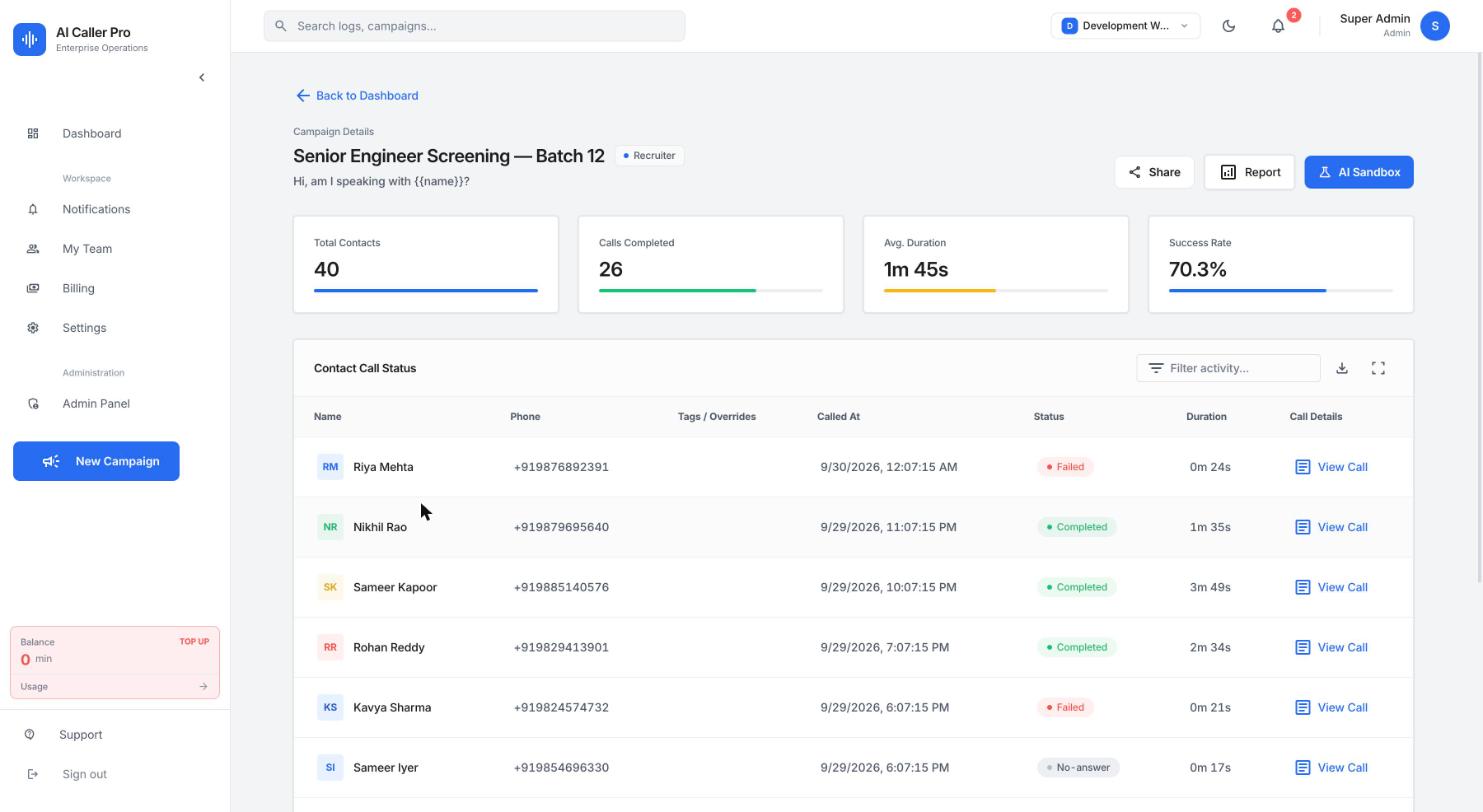
03 · Review
Drill into a campaign for per-contact outcomes and durations, then open any single call for its transcript, recording and evaluation.
Capabilities
A phone tree follows a script. This follows the answer.
Skip a question or end the call early based on how someone actually answers — no dead ends, no wasted minutes.
Describe a good answer in plain English and the model judges it. No regex, no brittle keyword rules.
Real-time conversation with barge-in handling — a contact can talk over the agent mid-sentence, as on a real call.
English, Hindi and Hinglish today, configurable per campaign.
Every call is transcribed and scored for sentiment, outcome and question-level quality — with no manual review.
Admins, editors and viewers, with visibility scoped per workspace across every campaign and call.
Every conversation captured, searchable, and tied back to the evaluation that scored it.
Consumption tracked by call minute, so a campaign’s cost is known before and after it runs.
How it works
Step 1
Bring a CSV or add contacts by hand. Map columns once; per-contact overrides are supported.
Step 2
Set what the agent must find out, what ends the call early, and how each answer should be judged.
Step 3
Calls dial over enterprise telephony with per-tenant concurrency limits protecting your other campaigns.
Step 4
Transcripts, sentiment and outcomes land as each call ends — share a report link with anyone.
Built to be trusted
Isolation and limits are enforced in the data layer and the dispatcher — not implied by the interface.
How we protect your dataEvery campaign, contact and call log is scoped to a tenant, and access is enforced per request — not just hidden in the UI.
A fair per-tenant dispatcher caps simultaneous calls, so one large campaign cannot starve another team’s.
Reports can be shared with people who have no account, through links that carry an explicit expiry.
Recording, transcript and evaluation stay attached to the call that produced them, for audit after the fact.
FAQ
An AI-powered outbound calling platform. You launch a voice campaign, an AI agent conducts each call, and every call is automatically evaluated and reported on in real time.
Campaigns run over enterprise-grade telephony. The agent follows the objective you set and holds a natural, real-time conversation with each contact.
Every completed call is transcribed and scored automatically — sentiment, outcome (completed, reschedule, wrong person and more), and question-level quality — so nobody has to listen to every recording.
Yes. Campaign and call reports can be shared through a link without the recipient needing an account, and workspaces support role-based access for admins, editors and viewers.
Launch your first campaign and see every call scored as it lands.